If you’re managing an agency in 2026, choosing the right CRM and marketing automation tool can make a big difference in your growth and efficiency. You’ll want to weigh factors like automation capabilities, pricing, and multi-client management carefully. Both GoHighLevel and Keap have their strengths, but which one truly aligns with your long-term goals and day-to-day needs? The answer might be more complex than you expect.
What Agencies Need From a CRM in 2026
When you’re running an agency in 2026, you need a CRM that can handle multiple clients seamlessly while offering white-label options to maintain your brand identity. The right crm and marketing automation platforms allow you to manage all your client accounts under one roof, ensuring consistent branding and streamlined operations. This tool offers advanced automation with over 75 triggers and supports multi-channel communication, helping you scale your lead generation and nurturing efforts effectively. With built-in funnel builders and seamless CRM integration, it gives you the ability to track campaigns and optimize conversions without switching between tools. Additionally, flat-rate pricing starting at $97/month helps you forecast expenses better, making it easier to manage your agency’s budget, especially with numerous clients. Plus, agencies get tailored onboarding support to set up complex marketing strategies quickly and efficiently. When you pick a platform like this, you’re equipped to meet the evolving needs of your clients and stay competitive in a demanding market. Implementing automated workflows enables agencies to deliver personalized content and recover lost sales efficiently, boosting overall client success.
Agency Preferences for GoHighLevel Versus Keap
Many agencies find themselves choosing the platform that best supports multi-client management and scalability, and this tool clearly stands out in these areas. With its white-label SaaS options, the software allows you to standardize rollouts effortlessly across multiple clients, making it perfect for scaling your agency. Its extensive crm and marketing automation capabilities let you manage campaigns and lead generation efficiently from a single platform. While the learning curve might be steeper due to these advanced features, the flexibility it offers is unmatched. On the other hand, if you run a smaller boutique agency, Keap might appeal to you with its structured crm approach and guided onboarding, making it easier to handle simpler operations with strong support. However, for agencies focused on growth and handling high-volume lead management, this tool remains the preferred choice, delivering powerful automation and multi-client features tailored to your expanding needs. Additionally, the ability to implement automated lead generation significantly boosts qualified leads, enhancing overall marketing ROI for busy agencies.
Automation and Workflow Features Compared
When it comes to workflow customization flexibility, this tool offers more advanced options than Keap. You’ll find over 75 triggers to tailor complex automations exactly how you need them. Keap’s simpler, tagging-based system can feel limited if you require more detailed workflows. Conducting A/B testing before full deployment can help avoid pitfalls and boost conversion rates by optimizing these workflows based on performance data.
Workflow Customization Flexibility
A key factor in choosing the right CRM is how well it handles workflow customization, especially for complex automation needs. When it comes to workflow customization flexibility, the platform offers over 75 triggers and centralized logic for conditional workflows, enabling advanced, scalable automation. This tool fits performance-driven teams that want multi-channel marketing automation tools with dynamic responses. On the other hand, Keap leans on simpler visual When-Then automations but lacks depth in handling intricate processes. Here’s a quick comparison:
| Feature |
The Platform |
| Number of Triggers |
75+ |
| Complexity Handling |
Scalable, dynamic |
| Workflow Management |
Centralized logic |
| Suitability |
Advanced sales funnels |
This tool clearly suits more demanding marketing automation workflows better than Keap.
Automation Trigger Options
Having strong workflow customization is only part of what makes automation powerful—you also need a wide range of triggers to respond to different customer actions. When it comes to automation trigger options, this tool shines with over 75 triggers, letting you build complex workflows tailored to your needs. Here’s how it compares to Keap:
- The platform supports branching logic to handle multi-step, dynamic customer journeys, while Keap sticks to simpler, tag-based automation.
- You get advanced segmentation options through diverse triggers, enhancing engagement strategies far beyond Keap’s basic When-Then visual setups.
- Although both require clean lead data, the software’s extensive triggers demand proactive deliverability management for best results.
How Pricing Differs Between GoHighLevel and Keap?
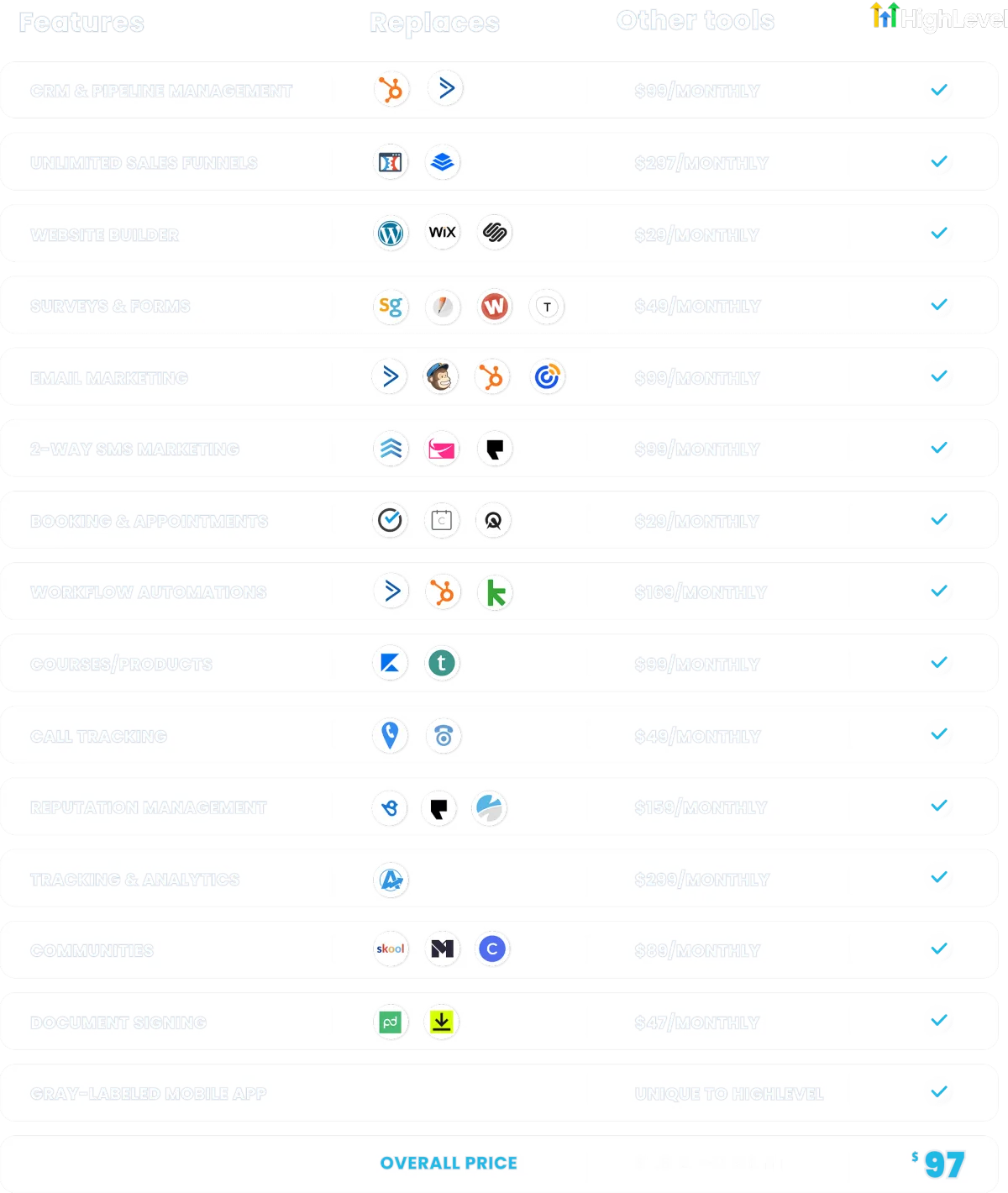
Although both platforms offer valuable CRM solutions, you’ll find their pricing models diverge considerably, impacting your overall investment. The best CRM with marketing automation should offer predictable costs, and this tool shines with a flat-rate pricing starting at $97 per month for one sub-account. This makes it an affordable choice for small agencies, especially since you can scale up through three tiers: $97, $297, and $497, depending on how many accounts you manage.
In contrast, Keap sets its pricing based on your contact list, beginning at around $169 monthly for 1,500 contacts, which can quickly ramp up to $299 or more as your list grows. Plus, with added implementation fees that can range from $500 to over $2,000, Keap’s total cost of ownership tends to be higher—around $4.3k to $6.6k annually—compared to this platform’s more budget-friendly $1.4k to $2.1k range.
Agency Feedback on User Experience and Support
Two main points often come up when agencies share their experiences with these platforms: user-friendliness and support quality. When choosing a crm for marketing automation, these factors can greatly affect how smoothly you onboard and manage your clients.
Here’s what agencies typically report:
- The platform offers extensive features but comes with a steep learning curve, making initial setup and client training challenging.
- Support gets mixed reviews; it scores 3.7 on customer service, which some find less responsive compared to Keap’s 4.1 rating.
- Keap shines with its structured onboarding and dependable customer support, helping new users grasp their crm for marketing automation faster and more confidently.
While this tool provides powerful agency-focused flexibility, you might need extra time to overcome its complexity, especially if onboarding is your priority. Leveraging automation tools can help streamline the onboarding process and improve overall efficiency.
Multi-Account Management and White-Label Options
If you’re managing multiple client accounts, having a platform that supports streamlined multi-account management is essential. This tool not only lets you handle sub-accounts efficiently but also offers white-label options to fully customize branding. With these features, you can scale your agency while keeping your services uniquely yours. Leveraging white label ORM services allows agencies to expand offerings without incurring heavy costs or sacrificing brand identity.
Managing Multiple Client Accounts
Managing multiple client accounts is a critical feature for agencies looking to streamline their workflows, and this platform offers robust multi-account management through sub-accounts. This setup lets you standardize marketing automation software deployments across clients, saving time and ensuring consistency. Here’s why it stands out:
- You can efficiently oversee numerous clients from a single dashboard, simplifying campaign management.
- The software includes over 75 automation triggers, enabling you to customize workflows for each client’s unique needs.
- Its pricing starts at just $97 per month per sub-account, making it a cost-effective solution as you scale your agency.
Unlike Keap, designed for single businesses, this tool truly supports multi-tenant marketing automation, making it the better choice when managing multiple clients with ease.
Custom White-Label Capabilities
Agencies looking to offer a fully branded experience need custom white-label capabilities, and this tool delivers exactly that. The platform allows you to completely rebrand the CRM automation software, creating a seamless experience for your clients. With the Agency Pro plan, you can manage multiple client sub-accounts effortlessly, keeping each account distinct while operating under your brand. This multi-account management makes scaling simple without losing control or branding consistency. Unlike Keap, which lacks native white-label options and focuses mainly on single businesses, this software gives you the flexibility to resell services under your own label. Plus, its advanced automation features let you tailor workflows and lead generation effortlessly, ensuring your agency stands out with a truly personalized CRM solution that elevates your service offerings.
Branding Flexibility for Agencies
Anyone looking to maintain a consistent brand across multiple client accounts will appreciate the platform’s robust white-label SaaS Pro plan. This tool lets you fully rebrand the software, making it perfect for agencies wanting to resell CRM solutions alongside their services. As one of the best marketing CRM options, it offers key features like:
- Multi-account management with sub-accounts for efficient client oversight.
- Standardized workflow templates tailored to various client needs.
- Lifecycle automation ensuring consistent communication and branding across all accounts.
Unlike Keap, which mainly supports single business accounts, this platform’s flexible multi-tenant capabilities let you scale operations while keeping customer interactions seamless. If you want true branding flexibility for agencies, it’s the stronger choice for managing diverse portfolios under one roof.
Email, SMS, and Calling Deliverability & Compliance
How can you confirm your messages actually reach your clients in a crowded digital landscape? The platform’s robust infrastructure complies with A2P 10DLC regulations, which means SMS and email deliverability are optimized through standardized messaging processes. This guarantees your campaigns aren’t just sent—they’re received. When it comes to email marketing automation, proper authentication protocols like SPF, DKIM, and DMARC are vital. Keap requires you to set these up manually to maintain compliance and avoid spam filters, whereas this tool integrates smoother, helping you stay compliant effortlessly. Both platforms benefit from lead verification services like ProSpeo, which refines data accuracy up to 98%, critical for avoiding delivery pitfalls caused by poor-quality contacts. The software’s built-in compliance features and advanced automation enhance operational flow, especially if you manage multiple clients. Overall, this tool’s thorough approach to deliverability and compliance makes it a smarter choice for agencies prioritizing consistent and secure communication. Regularly cleaning and maintaining your email list is also essential to improving deliverability and engagement, ensuring your messages reach the right audience with minimal bounce rates and unsubscribes through email list hygiene maintenance.
Switching From Keap to GoHighLevel: What to Expect
After ensuring your communications reliably reach clients, the next step is figuring out what to expect when shifting from Keap to this tool. Migration involves transferring contacts via CSV, but you’ll need to manually rebuild custom fields, workflows, forms, and pipelines, which can take 20 to 100 hours depending on complexity. To avoid disruptions in sales and marketing automation, running both platforms in parallel for 2-3 weeks is recommended.
Here’s what to expect during the shift:
- A steep learning curve as the software offers more advanced automation and workflows compared to Keap’s simpler setup.
- The necessity of maintaining clean lead data throughout to fully leverage the platform’s capabilities.
- Access to expert migration support from services like ClonePartner, ensuring zero downtime and a smooth transition.
Preparing for these factors will help you maximize the power of this tool’s sales and marketing automation features. Integrating ongoing human oversight during and after migration ensures your automation remains accurate and relevant, avoiding common pitfalls.
Frequently Asked Questions
What Is the Difference Between Keap and Gohighlevel?
The main difference lies in who the software serves best. If you’re an agency managing multiple clients, this tool excels with its multi-client management and white-label options. Keap, on the other hand, suits single businesses with guided onboarding and integrated e-commerce features. Pricing also varies; the platform offers a flat rate, while Keap charges per contact. Automation in this tool is more advanced, letting you build complex workflows with many triggers.
What Is the #1 CRM in the World?
The #1 CRM in the world is Salesforce. You’ll find it leads the market with over 19% share and serves more than 150,000 customers across industries. It’s known for its deep customization and integration capabilities, making it perfect for businesses of all sizes. Plus, its AI-powered features, like Einstein AI, help you optimize lead scoring and customer engagement, giving you a powerful edge in sales and marketing automation.
Do You Really Need a CRM in 2026?
Yes, you really need a CRM in 2026. It’s essential for automating marketing, managing customer relationships, and boosting efficiency. The software helps you maintain clean data and guarantees compliant communication, which is vital in today’s environment. With AI and multi-channel automation, you’ll engage leads better and deliver personalized experiences that keep customers loyal. Without a solid CRM, your business risks falling behind in a competitive market.
Who Are the Competitors of Gohighlevel?
You’ll find several notable competitors to this tool, including HubSpot, known for its all-in-one sales, marketing, and service features. ActiveCampaign offers strong email marketing automation, especially for e-commerce. Mailchimp is popular for its email marketing with basic CRM suited to SMBs. Zoho CRM provides a broad app ecosystem at competitive pricing, while Salesforce targets larger firms with deep customization. Among these, the platform stands out for agency-focused automation and integrations.
Start Your Free 30-Day Trial Today
Join 2 million+ businesses that replaced their fragmented tool stack with GoHighLevel. Full platform access, no contracts.
Claim Your 30-Day Deal →
Sign up through our exclusive link·Full access for 30 days·Cancel anytime